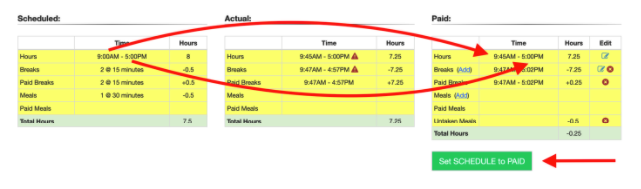
When approving time cards, if you want to copy the SCHEDULED HOURS to the PAID HOURS, you can simply click the button at the bottom right.
This will take the scheduled hours 9:00AM-5:00PM and set those as the PAID HOURS (over-writing the 9:45AM-5:00PM).