
< All Topics
What is the TimeWellScheduled employee app?
Updated
Views17
Table of Contents
Download the app for Android here, or iOS here.
Once you install, enter your email and password.
Within the TimeWellScheduled employee app you can
See the number of shifts, absences and messages at one glance
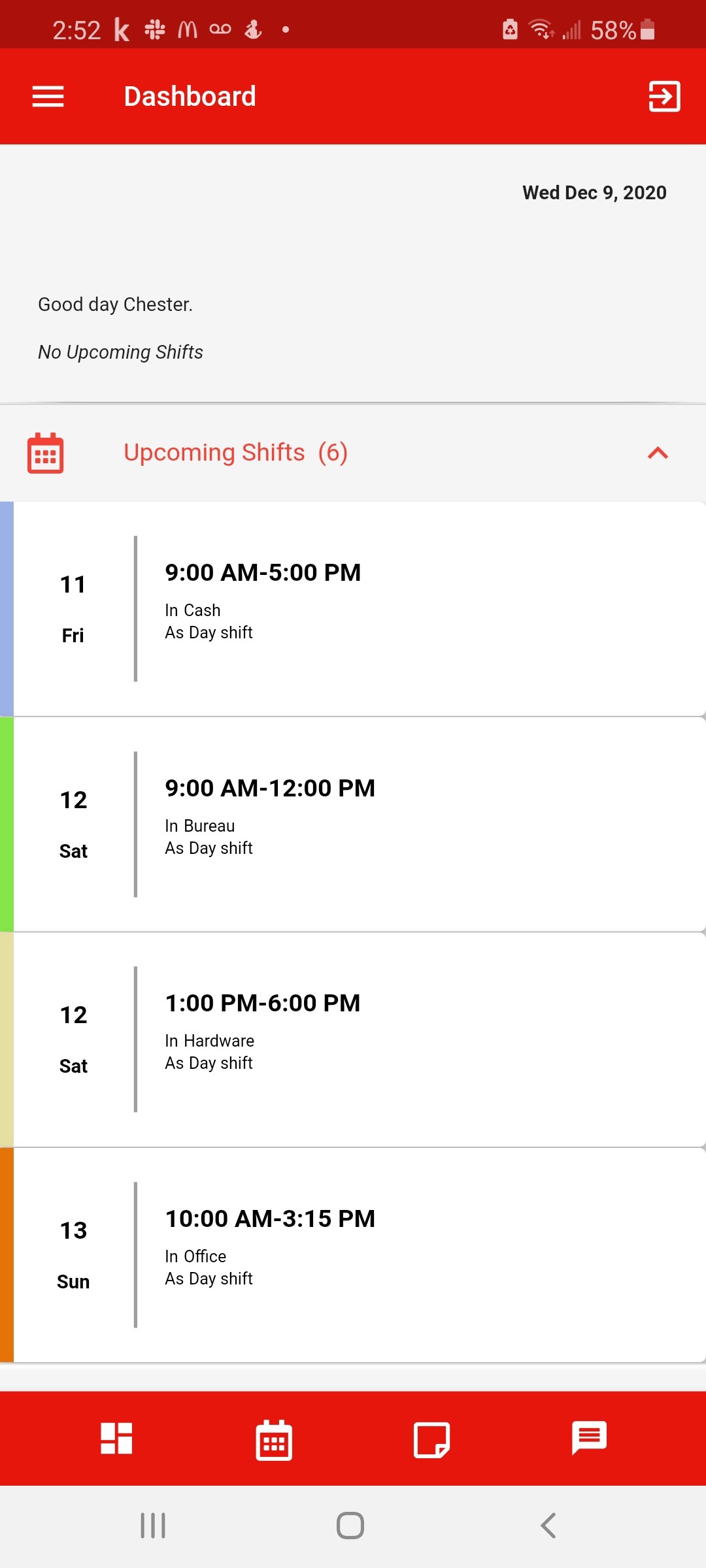
Check your schedule – click any date that has a coloured dot.

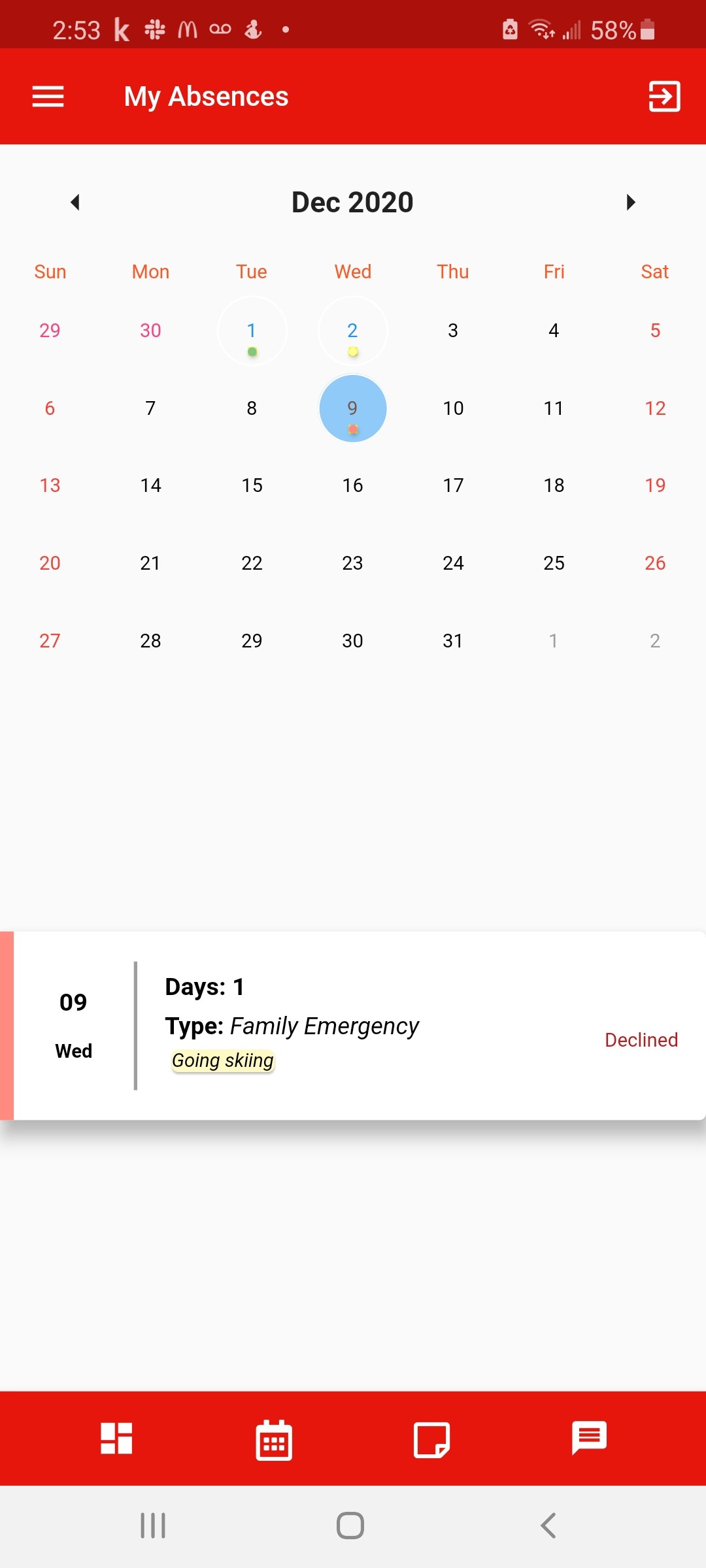
Check your absences – click any date that has a coloured dot.
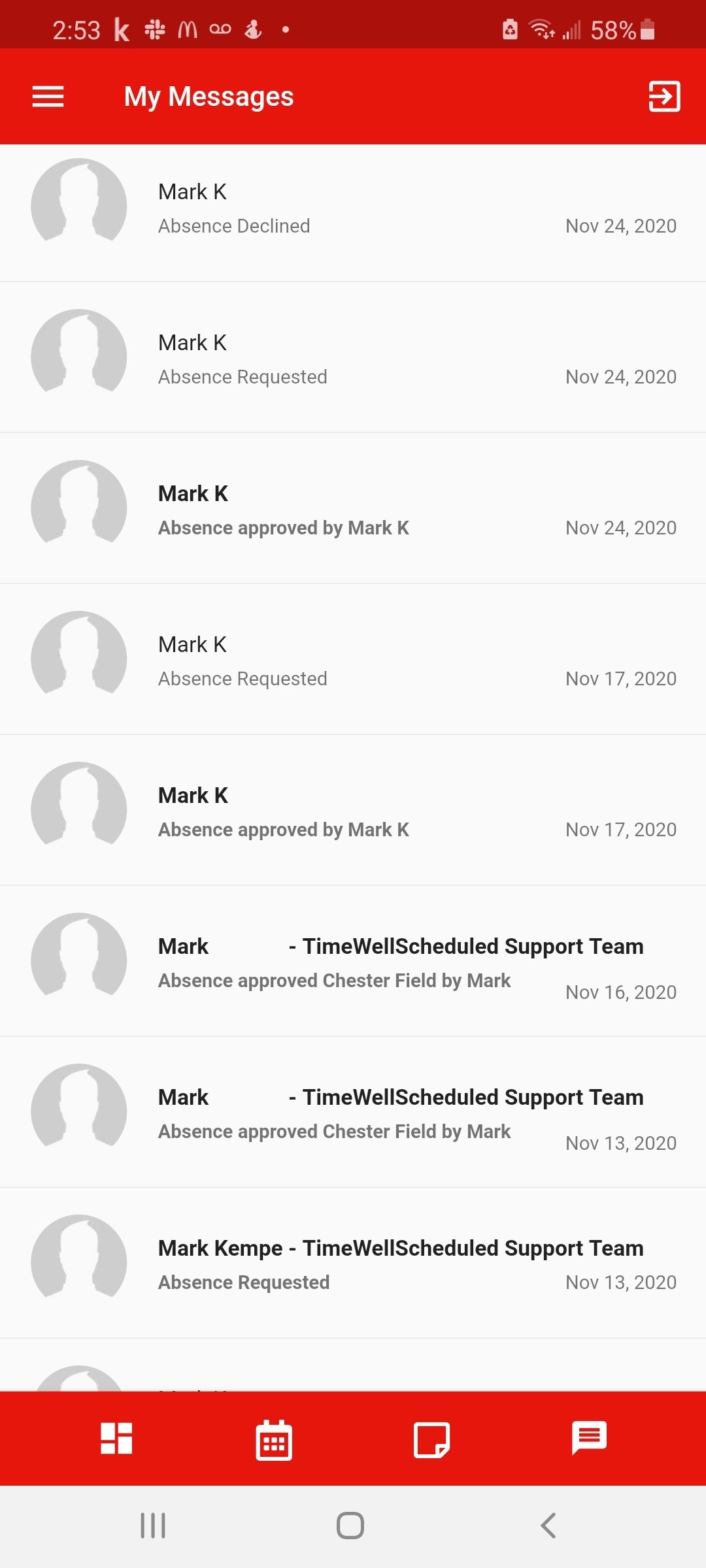
Check your messages
Search
Categories
-
Absence37
-
Access Restrictions9
-
Accounting5
-
Alerts30
-
App – Employees4
-
App – Punch Clock14
-
Availability13
-
Biometrics11
-
Chat6
-
Competency6
-
COVID7
-
Departments9
-
Did You Know5
-
Employee Management19
-
For Employees19
-
For Managers16
-
General29
-
Getting Started5
-
How-To17
-
HR Suite43
-
Messages21
-
Multiple Instances2
-
Offline Mode0
-
Payroll44
-
Printing3
-
Project Tracking5
-
Punch App2
-
Punch Clock2
-
Punching23
-
Reports21
-
Roles13
-
Scheduling78
-
Security23
-
Shifts9
-
Statutory Holidays12
-
Survey3
-
Time Cards60
-
Videos33
-
Vital Signs2
-
Walk Thru1
-
What's New57
-
Who's Working7