
< All Topics
How Do I Add Custom Employee Info?
Updated
Views6
Table of Contents
To add Custom Employee info like, medical conditions, Driver’s license, or anything else you need go to:
Manage My Business » Business Settings » Manage User Defined Fields , and click ADD to create a section to collect custom employee information.
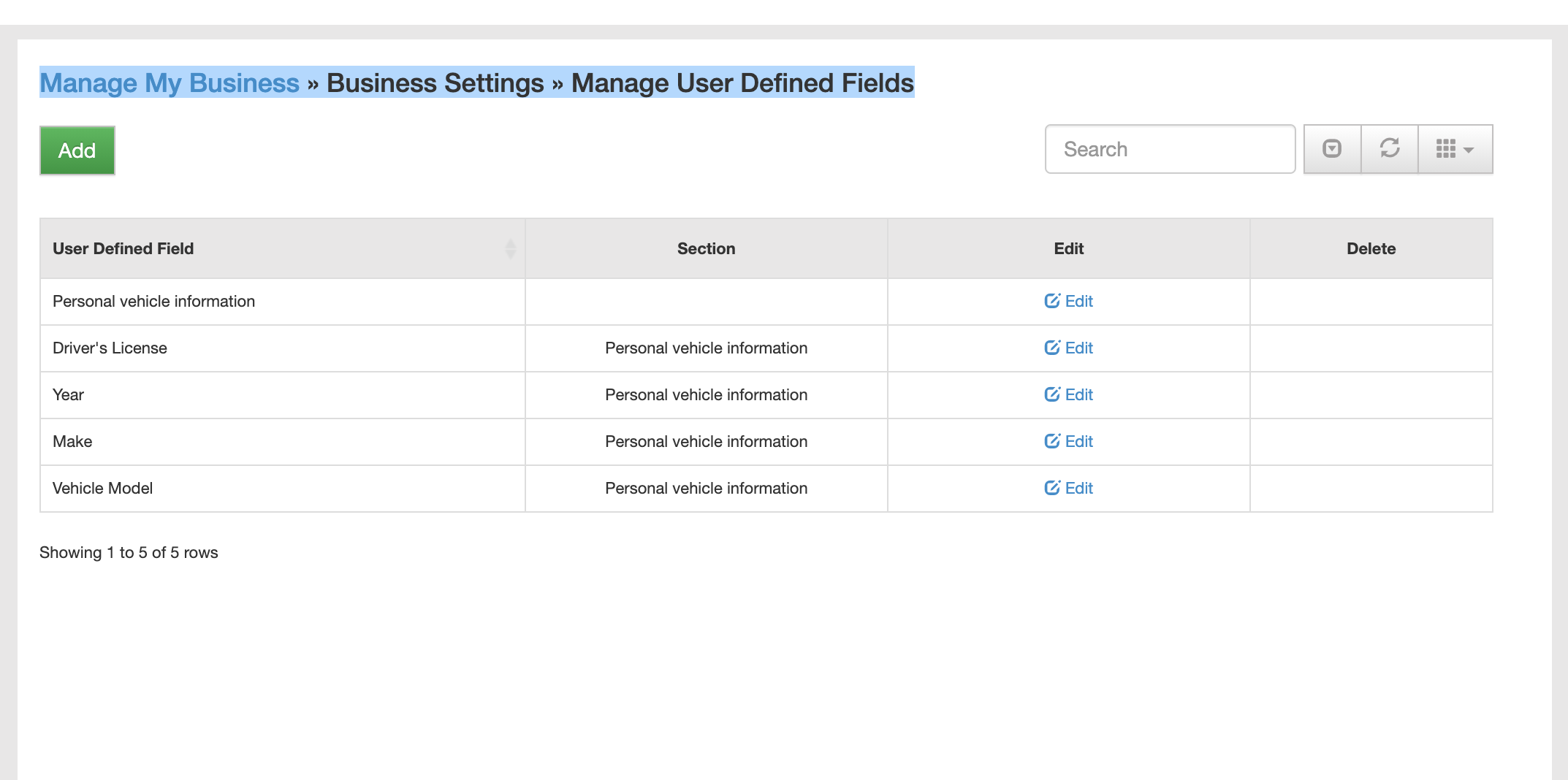
Select the desired input type, Name, section and any options or selections. 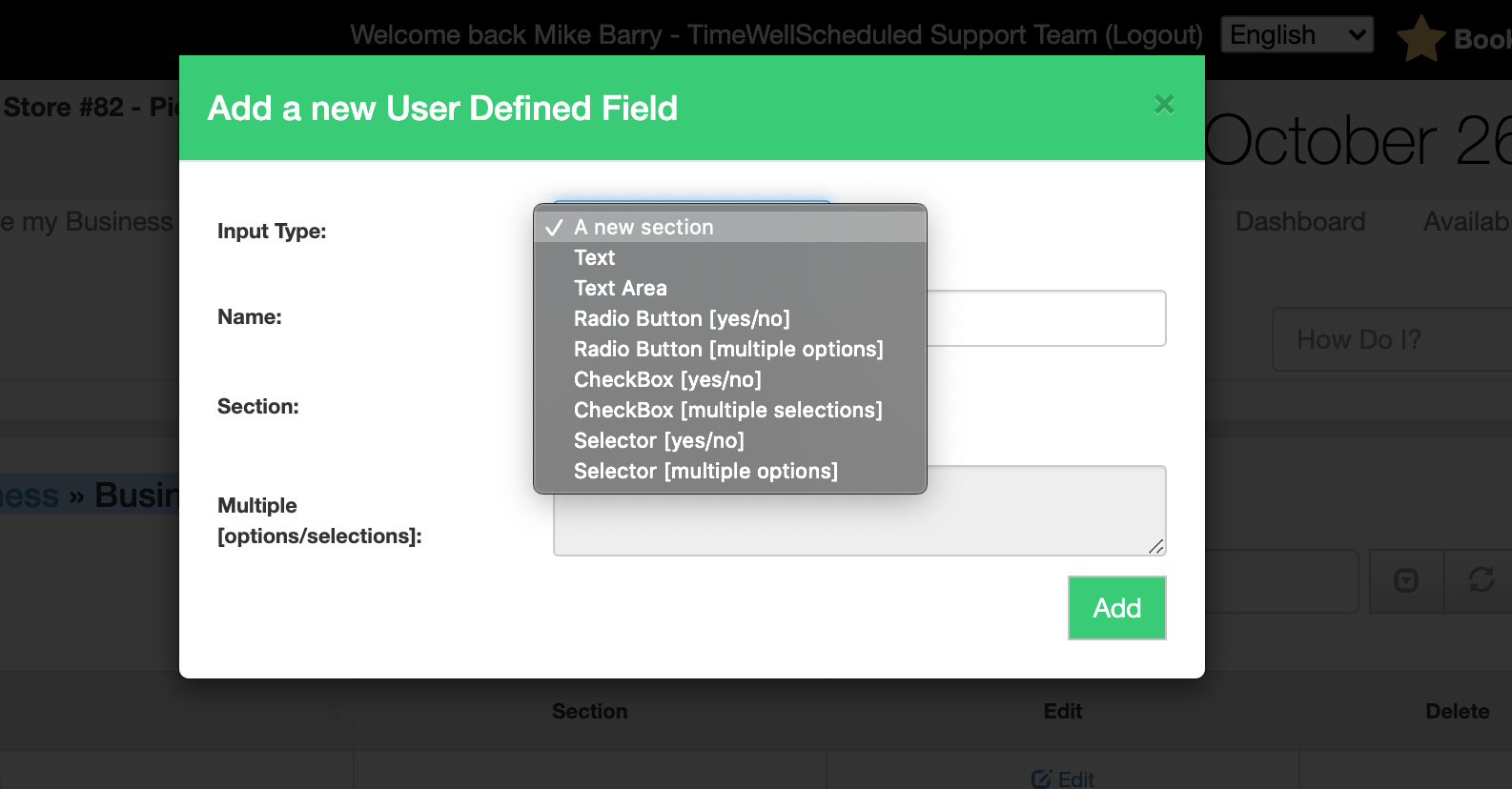
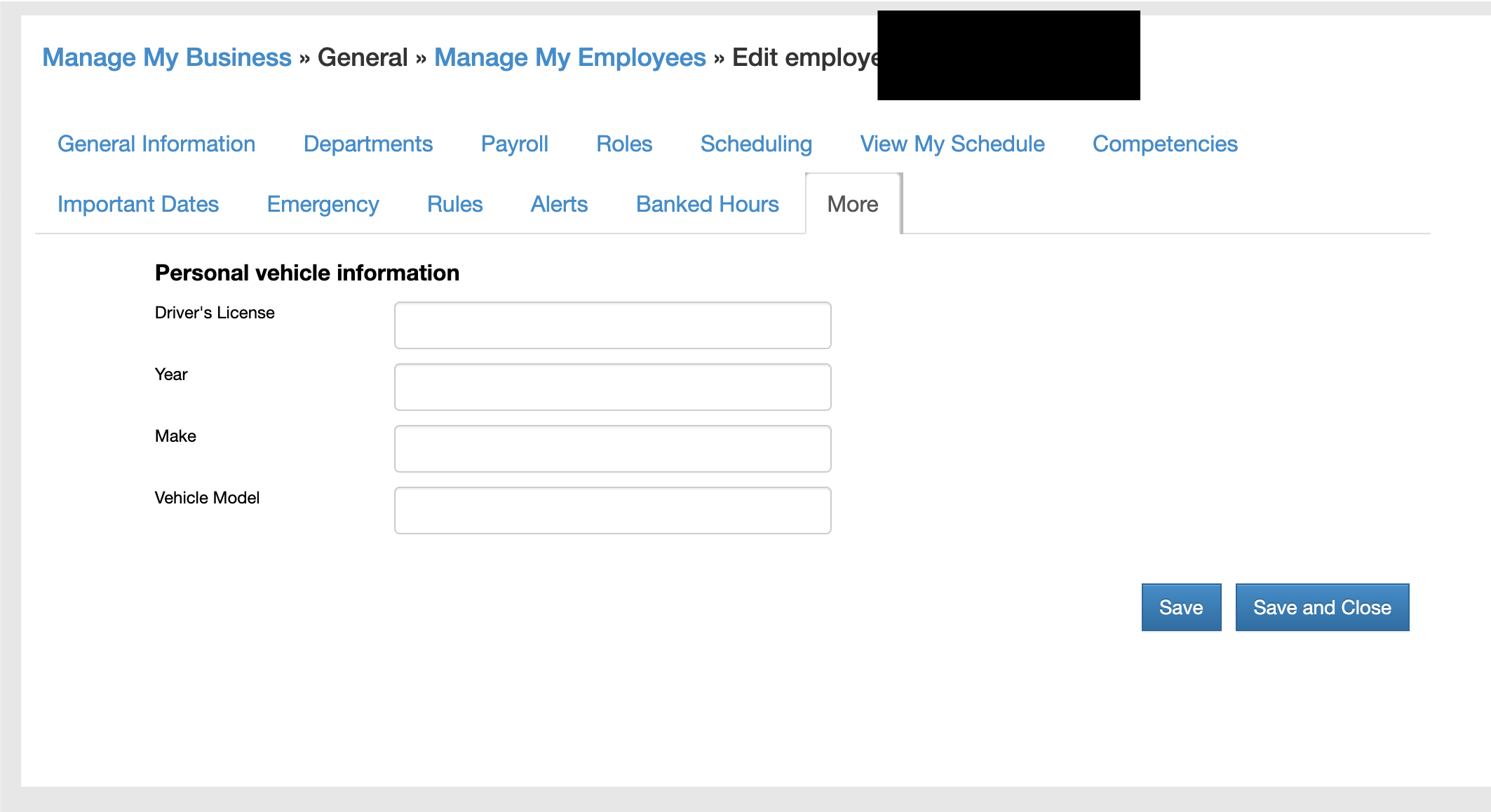
Your new section will show up in the More tab on the Edit Employee page
Search
Language switcher
Categories
-
Absence37
-
Access Restrictions9
-
Accounting5
-
Alerts30
-
App – Employees4
-
App – Punch Clock14
-
Availability13
-
Biometrics11
-
Chat6
-
Competency6
-
COVID7
-
Departments9
-
Did You Know5
-
Employee Management19
-
For Employees19
-
For Managers16
-
General29
-
Getting Started5
-
How-To17
-
HR Suite43
-
Messages21
-
Multiple Instances2
-
Offline Mode0
-
Payroll44
-
Printing3
-
Project Tracking5
-
Punch App2
-
Punch Clock2
-
Punching23
-
Reports21
-
Roles13
-
Scheduling78
-
Security23
-
Shifts9
-
Statutory Holidays12
-
Survey3
-
Time Cards60
-
Videos33
-
Vital Signs2
-
Walk Thru1
-
What's New57
-
Who's Working7