
< All Topics
How do I change my employee’s wages?
Updated
Views38
Table of Contents
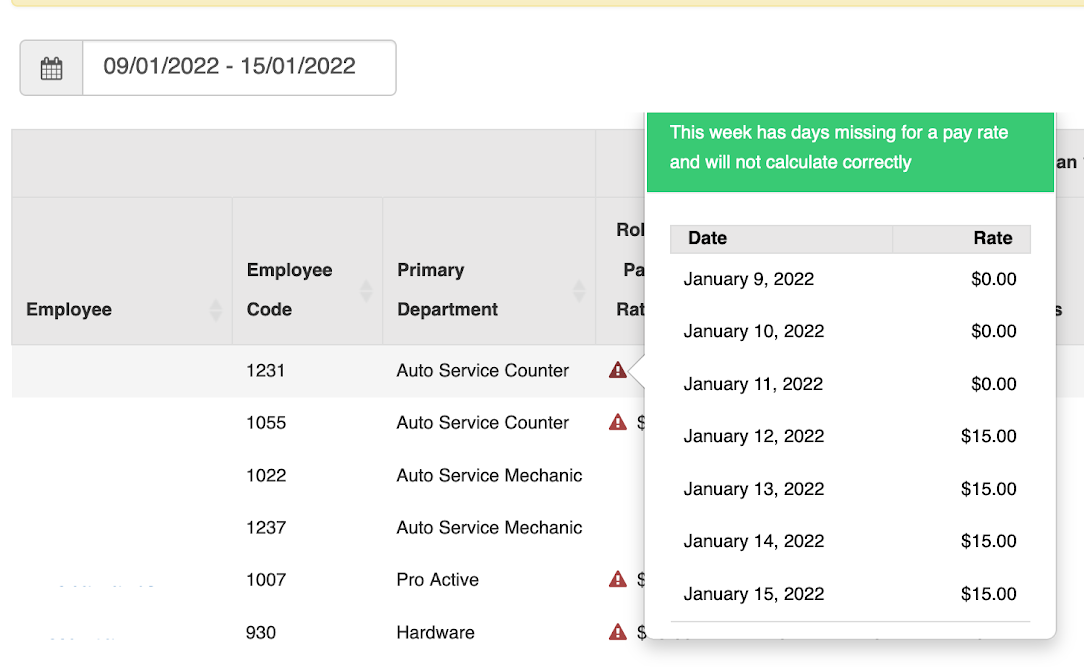
TimeWellScheduled records pay rates as well as the start and end time of those rates. This way, we can provide you reports with accurate pay rates at the time of the report. If we did not record when the dates were active, when you run last year’s report you would see inaccurate numbers.
Here is how to manage/check an employee’s pay rates:
- Click EMPLOYEES in the menu
- Search for the employee and click EDIT
- Click the ROLES tab
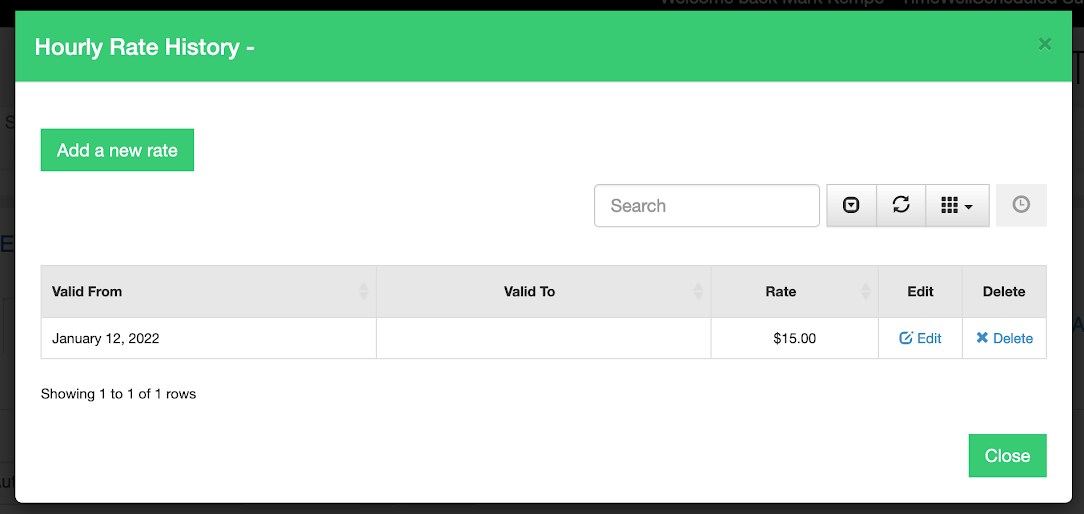
- Click on Manage this employee’s hourly rates
- You will see this page where you can
- See past rates
- Add a new rate
- Edit an existing rate
- Delete a rate
Search
Language switcher
Categories
-
Absence37
-
Access Restrictions9
-
Accounting5
-
Alerts30
-
App – Employees4
-
App – Punch Clock14
-
Availability13
-
Biometrics11
-
Chat6
-
Competency6
-
COVID7
-
Departments9
-
Did You Know5
-
Employee Management19
-
For Employees19
-
For Managers16
-
General29
-
Getting Started5
-
How-To17
-
HR Suite43
-
Messages21
-
Multiple Instances2
-
Offline Mode0
-
Payroll44
-
Printing3
-
Project Tracking5
-
Punch App2
-
Punch Clock2
-
Punching23
-
Reports21
-
Roles13
-
Scheduling78
-
Security23
-
Shifts9
-
Statutory Holidays12
-
Survey3
-
Time Cards60
-
Videos33
-
Vital Signs2
-
Walk Thru1
-
What's New57
-
Who's Working7