
< All Topics
Overnight shifts and absences
Updated
Views22
Table of Contents
If you have an overnight shift and the employee has called in sick, how do you go about recording it? If you go to ABSENCES and click to add, you can NOT pick a start time on day 1 with an end day on day 2 (ex. Start on Monday 9p and end Tuesday 5a).
To accomplish this, you can do it one of two ways:
Option 1
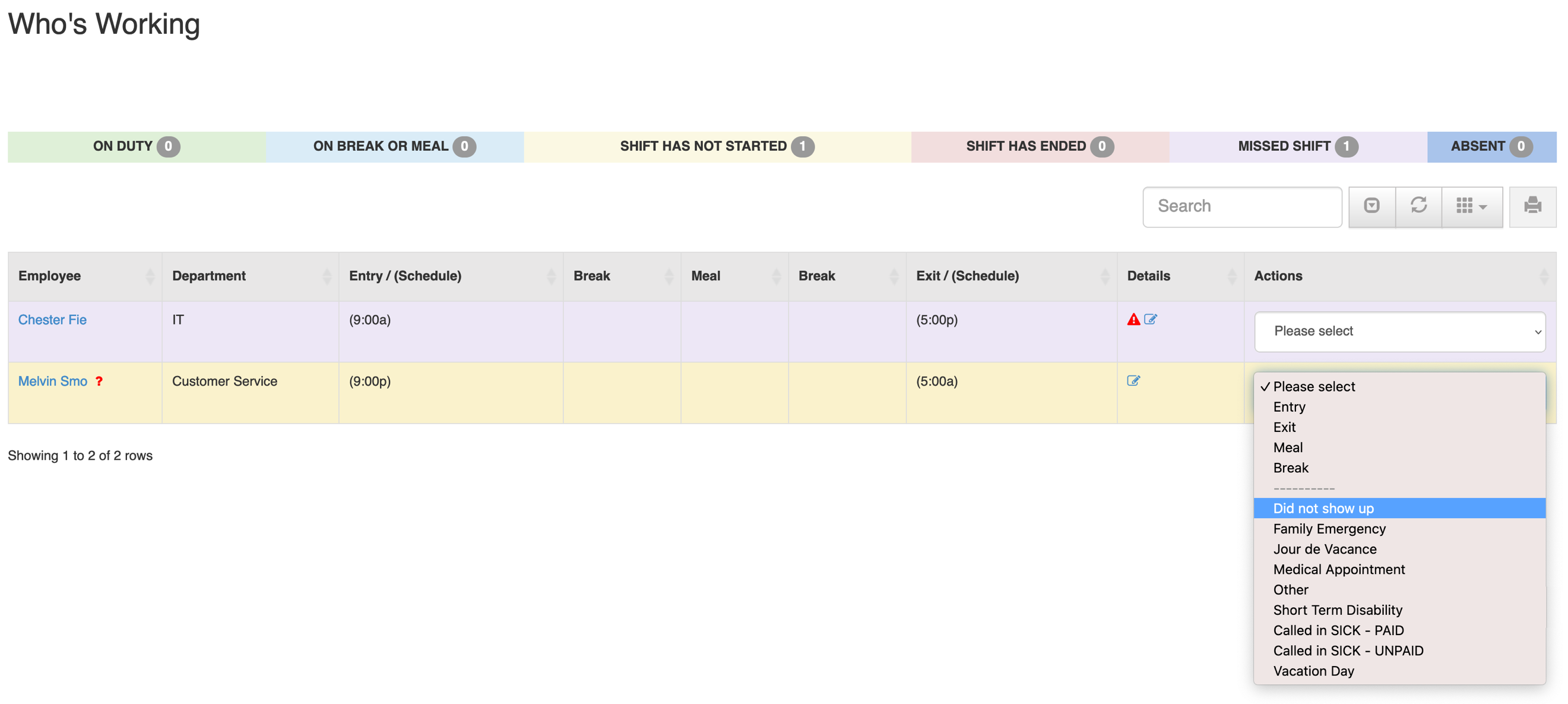
1. Go to WHO’S WORKING
2. Find the shift, pick the absence type
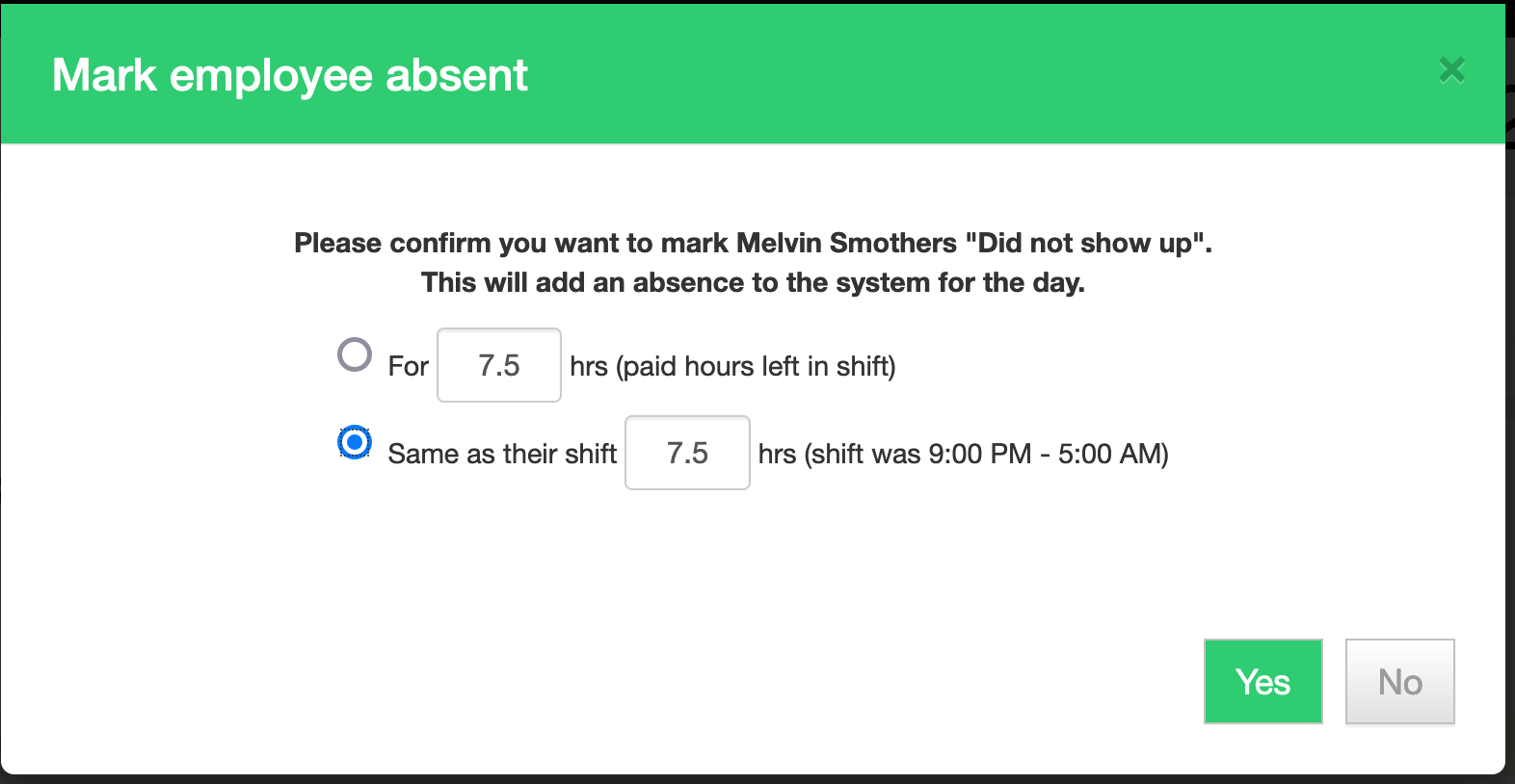
3. Select the option to use the shift time
Option 2
1. Go to TIME CARD & PAYROLL
2. Go to REVIEW, UPDATE AND APPROVE TIME CARDS
3. Find the time card, pick the absence type

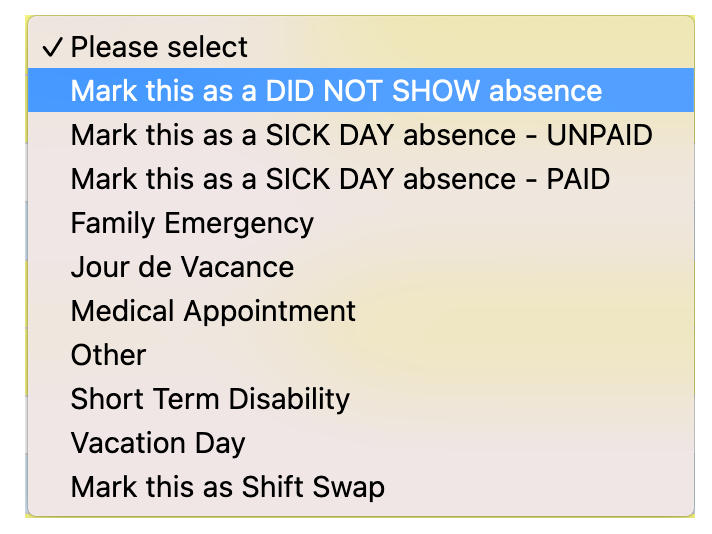
4. Select the option to use the shift time

Search
Language switcher
Categories
-
Absence37
-
Access Restrictions9
-
Accounting5
-
Alerts30
-
App – Employees4
-
App – Punch Clock14
-
Availability13
-
Biometrics11
-
Chat6
-
Competency6
-
COVID7
-
Departments9
-
Did You Know5
-
Employee Management19
-
For Employees19
-
For Managers16
-
General29
-
Getting Started5
-
How-To17
-
HR Suite43
-
Messages21
-
Multiple Instances2
-
Offline Mode0
-
Payroll44
-
Printing3
-
Project Tracking5
-
Punch App2
-
Punch Clock2
-
Punching23
-
Reports21
-
Roles13
-
Scheduling78
-
Security23
-
Shifts9
-
Statutory Holidays12
-
Survey3
-
Time Cards60
-
Videos33
-
Vital Signs2
-
Walk Thru1
-
What's New57
-
Who's Working7