
< All Topics
Restrict administrators access to specific departments
Updated
Views18
Table of Contents
Just like supervisors and managers, you can restrict access to administrators to specific departments. So as an administrator if you notice you can’t manage employees in all departments, this is likely the cause.
- Go to EMPLOYEES
- Find the employee, click EDIT
- In the DEPARTMENTS tab
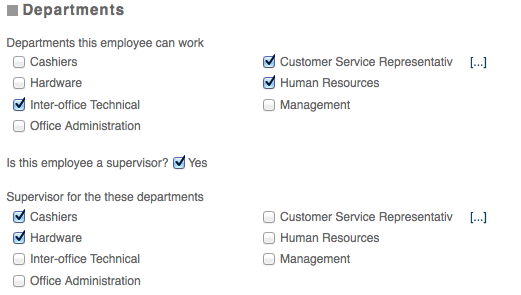
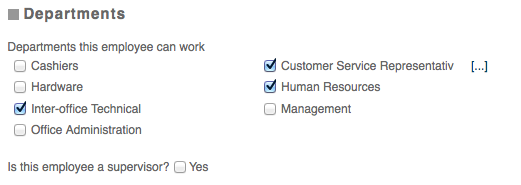
Uncheck the departments they supervisor and the supervise button, so it looks like this:
Categories
-
Absence34
-
Access Restrictions9
-
Accounting5
-
Alerts29
-
App – Employees4
-
App – Punch Clock13
-
Availability13
-
Biometrics12
-
Chat6
-
Competency6
-
COVID7
-
Departments9
-
Did You Know5
-
Employee Management19
-
For Employees19
-
For Managers16
-
General29
-
Getting Started5
-
How-To18
-
HR Suite43
-
Messages21
-
Multiple Instances2
-
Offline Mode0
-
Payroll44
-
Printing3
-
Project Tracking5
-
Punch App2
-
Punch Clock2
-
Punching23
-
Reports21
-
Roles13
-
Scheduling77
-
Security23
-
Shifts9
-
Statutory Holidays12
-
Survey3
-
Time Cards60
-
Videos33
-
Vital Signs2
-
Walk Thru1
-
What's New57
-
Who's Working7