
Training Expenses – How to add/edit/report on expenses
Table of Contents
Add An Expense
To record a training expense
- Go to TRAINING EXPENSES
- Click ADD NEW TRAINING EXPENSE

- Complete the form
- Record the date and hours
- Record all the employees who were trained
- If the trainer is an employee at your company and want to record the hours for them as well, select them
- If you have a file to record with the hours, attach it
- Optionally, if you have a physical expense (say travel, hotel, etc) record those on the EXPENSES side
- Click ADD
Update An Expense
To update a training expense
- Go to TRAINING EXPENSES
- Find the expense, click on CLICK TO ADD/EDIT DETAILS

- Make the change, click SAVE
Report On Totals
To update a training expense
- Go to TRAINING EXPENSES
- Change the date range to the reporting period
- The totals by hours and categories will be show at the bottom
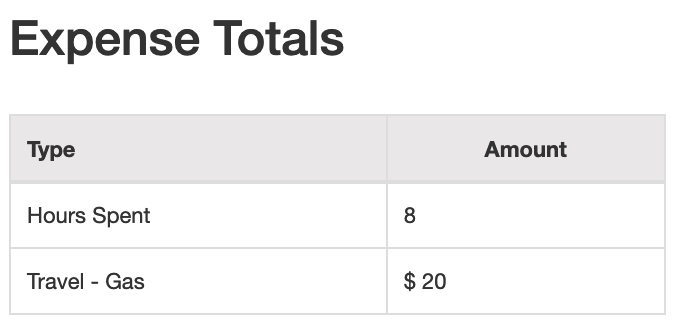
- To see the totals by employee, type their name in the search box and the total for that employee will show
