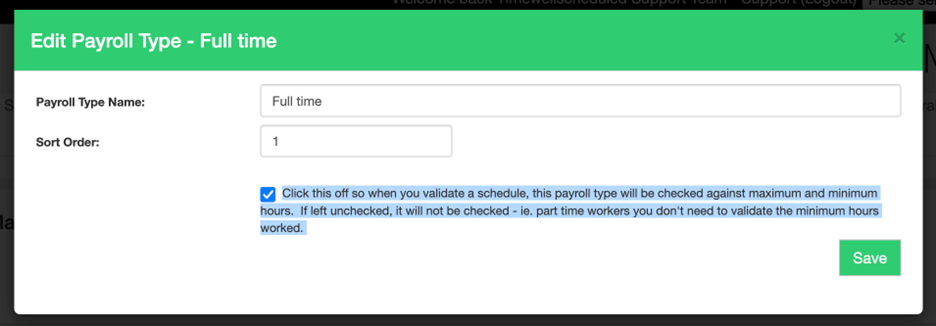
When you publish a schedule, you can setup the system to alert you when
- an employee is in OT
- an employee is OVER their role maximum
- an employee is UNDER their role minimum
To turn this ON or OFF,
- Go to MANAGE MY BUSINESS
- Go to MANAGE PAYROLL TYPES
- Find the payroll type, click EDIT
- Check this feature ON or OFF