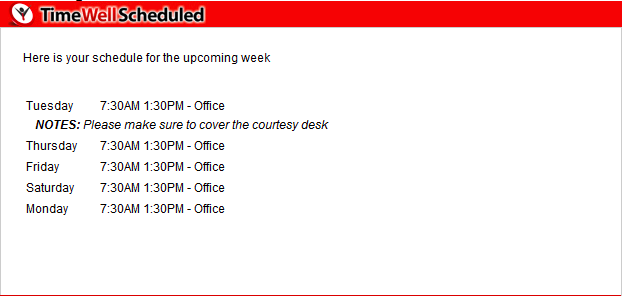
Upcoming Schedule Emailed to You
Table of Contents
When your schedule is ready, TimeWellScheduled can automatically email it to you so you always know when you’re working—without needing to log in.
This email is sent only after a manager publishes the schedule for the upcoming week.
When Will I Receive This Email?
You will receive the Upcoming Schedule email when all of the following are true:
-
- Your manager has published the schedule
-
- You are scheduled for at least one shift during that period
-
- Email notifications are enabled for your account
Once published, the system sends the schedule email automatically.
What’s Included in the Email?
The email typically includes:
-
- The date range of the schedule
- Your scheduled shifts (days and times)
-
- A quick reminder to log in to TimeWellScheduled if you need more details
This allows you to quickly review your upcoming work week from your inbox.
Why Didn’t I Receive an Email?
You may not receive the schedule email if:
-
- The schedule has not been published yet
-
- You are not scheduled for any shifts in that period
-
- Your email notifications are turned off
-
- Your email address is missing or incorrect
If you believe you should have received an email, contact your manager to confirm the schedule has been published.