
< Tous les sujets
How to edit time card hours before sending to payroll
Mis à jour
Views16
Table des matières
Sometimes you need to override the default calculations for RT and OT hours.
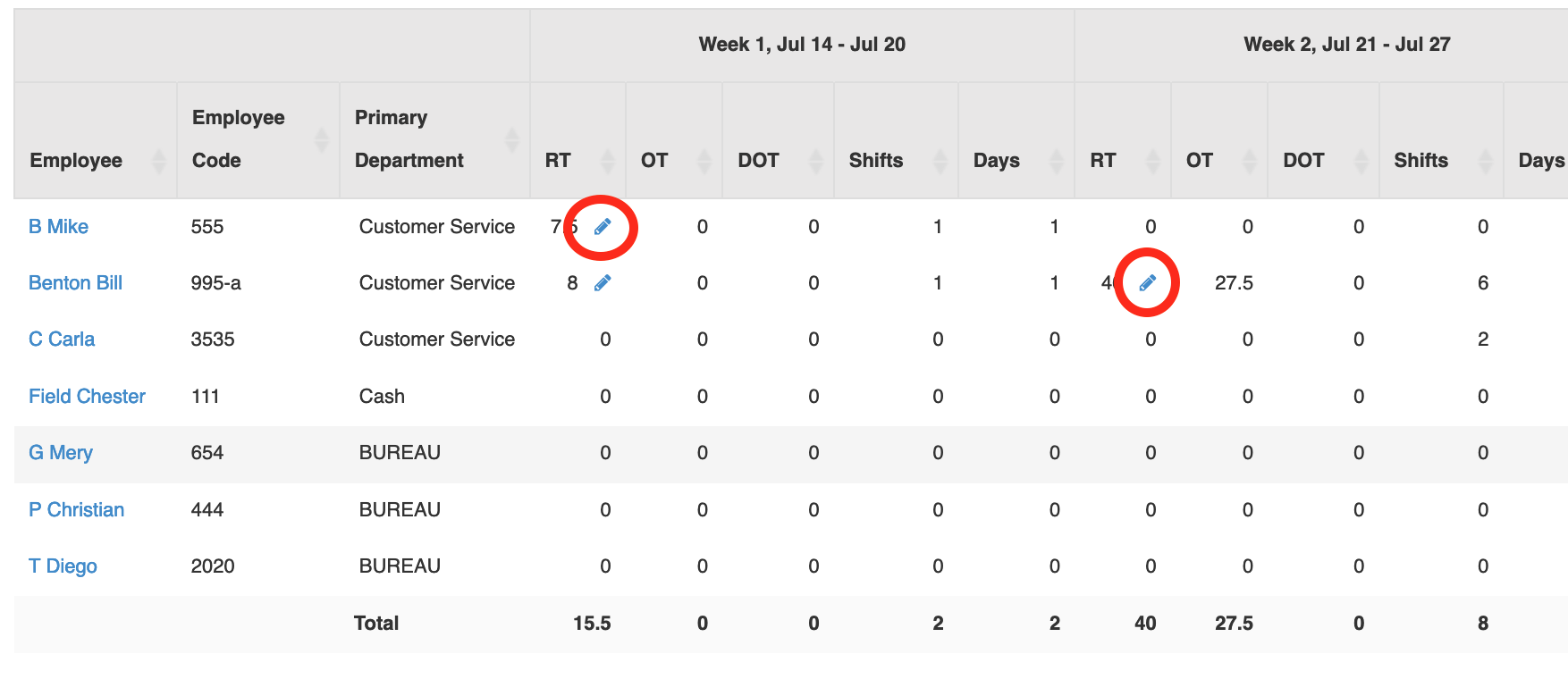
To do this, go to the HOUR AND SHIFT PREPARATION report and select your time period.
Beside the RT hours, you will see an edit icon, click it:
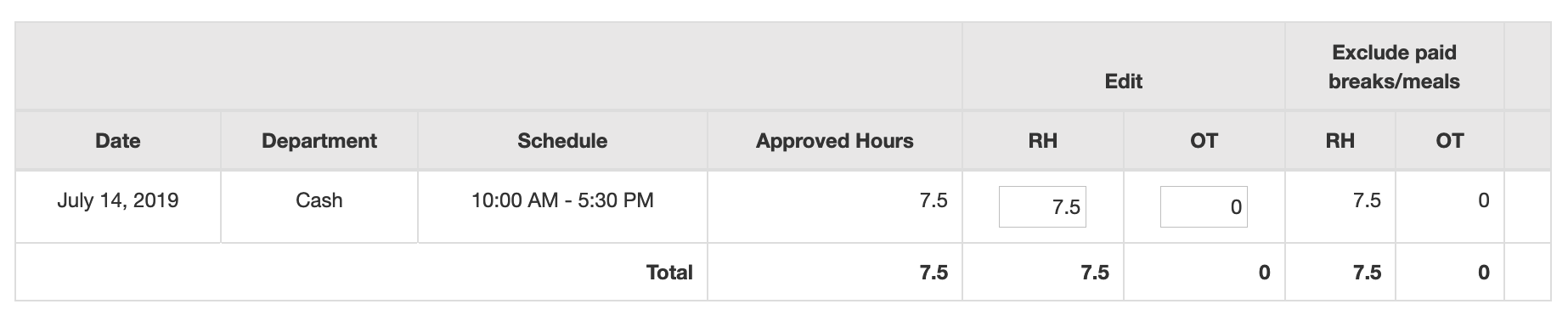
In the popup, change the values and click SAVE:
NOTE – this feature will only work for past weeks – the current week won’t calculate OT hours until the week is finished.
Search
Catégories
-
Absence35
-
Alertes29
-
Application - Poinçon12
-
Application - pour employé3
-
Biométrie16
-
Browsers2
-
Cartes de Temps58
-
Chat2
-
Comment faire13
-
Compétence5
-
comptabilité5
-
COVID5
-
Départements7
-
Disponibilité13
-
Employés22
-
Général27
-
Gestion des employés9
-
Instances multiples2
-
Messages16
-
Mise en route9
-
Mode hors connexion3
-
Modules RH45
-
Nouvelles5
-
Paie42
-
Planifier68
-
Poinçon4
-
Poinçonner21
-
Pour les gestionnaires15
-
Printing1
-
Quart de travail10
-
Qui Travaille8
-
Rapports20
-
Restrictions d'accès9
-
Rôles11
-
Sécurité17
-
Signes vitaux2
-
Sondage3
-
Statutory Holidays12
-
TWS – News68
-
Vidéos3