
< All Topics
Asset – How to add/edit an asset
Updated
Views24
Table of Contents
To add/edit an asset:
- Go to MANAGE MY BUSINESS
- Go to MANAGE ASSET TRACKING TYPES
- To add an asset, click ADD
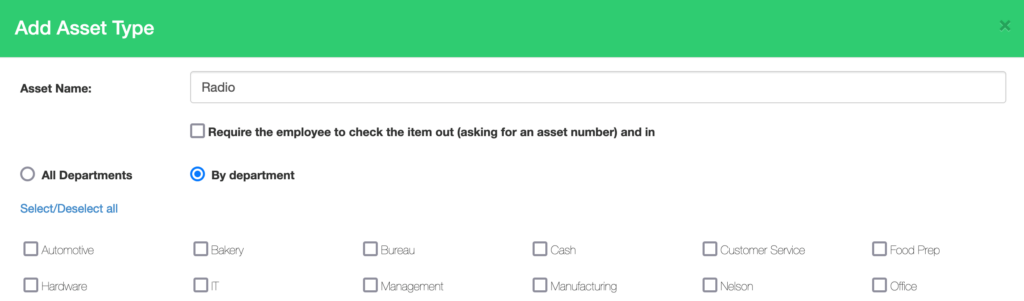
- You can require employees to check IN and OUT assets as an option, for example if you want to know which radio ID they have for the day, you can request at punch in (see below)
- If the asset is only assigned to specific departments, pick the departments that can select it
- To edit an asset, click EDIT on the asset to update
Search
Language switcher
Categories
-
Absence37
-
Access Restrictions9
-
Accounting5
-
Alerts30
-
App – Employees4
-
App – Punch Clock14
-
Availability13
-
Biometrics11
-
Chat6
-
Competency6
-
COVID7
-
Departments9
-
Did You Know5
-
Employee Management19
-
For Employees19
-
For Managers16
-
General29
-
Getting Started5
-
How-To17
-
HR Suite43
-
Messages21
-
Multiple Instances2
-
Offline Mode0
-
Payroll44
-
Printing3
-
Project Tracking5
-
Punch App2
-
Punch Clock2
-
Punching23
-
Reports21
-
Roles13
-
Scheduling78
-
Security23
-
Shifts9
-
Statutory Holidays12
-
Survey3
-
Time Cards60
-
Videos33
-
Vital Signs2
-
Walk Thru1
-
What's New57
-
Who's Working7