
< All Topics
Desjardin – Import Employees
Updated
Views13
Table of Contents
** To get your DESJARDINS API codes – contact your Desjardins customer service representative so they can request the API keys. They can also help you create a web service user in Employer D.
TimeWellScheduled can use the Desjardin API to pull in a list of employees.
To set this up:
1. Go to MANAGE MY BUSINESS
2. Go to MANAGE MY PAYROLL, SHIFTS AND LABOR RULES
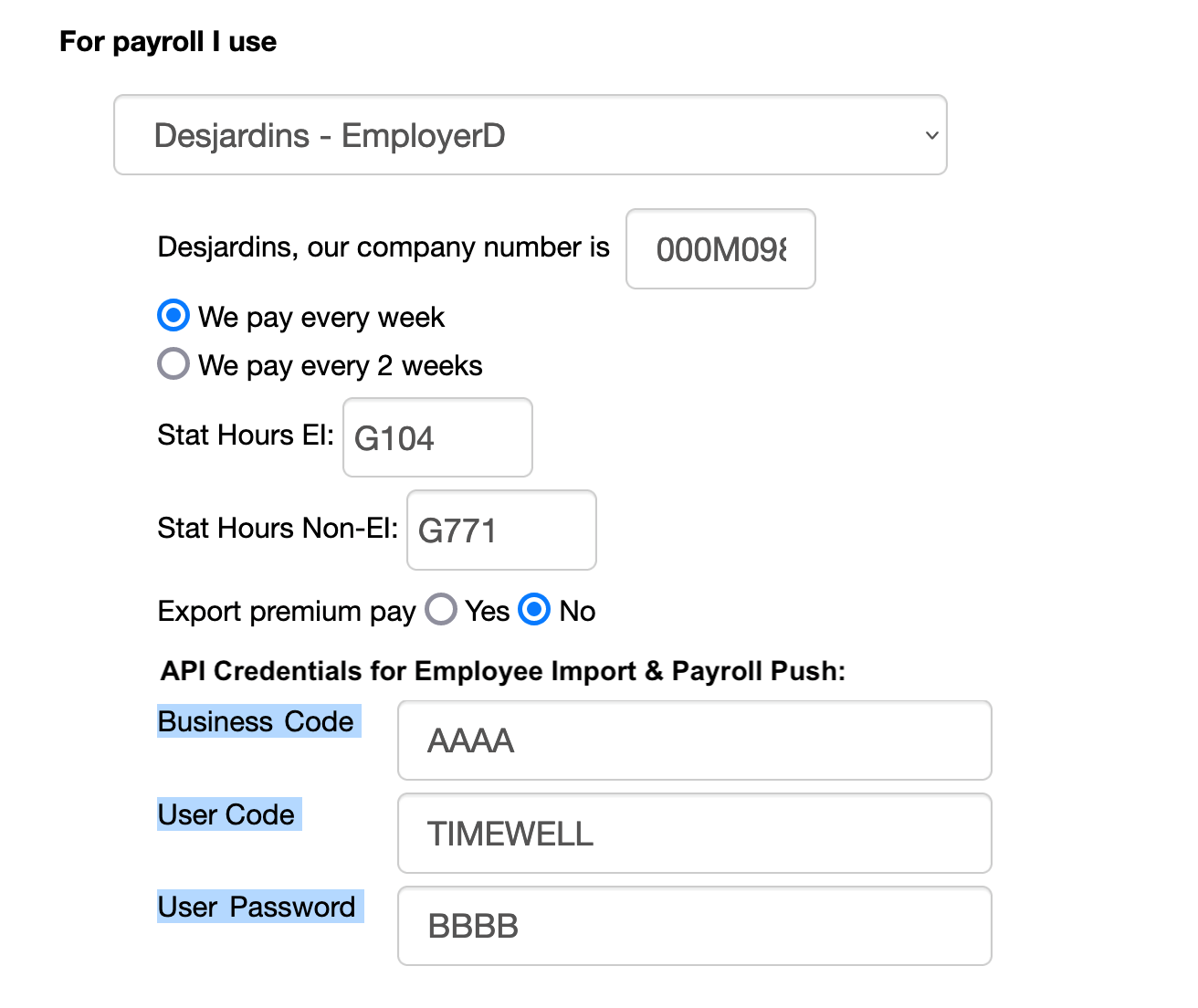
3. When you have DESJARDINS selected, complete these fields (in blue):
To do the employee import:
1. Go to EMPLOYEES
2. Click IMPORT EMPLOYEES – DESJARDINS (this may take a little bit to connect and pull the information)
3. Once the list is loaded

a. To import just 1 employee, click IMPORT at the end of the employee line
b. To import the checked off employees, click the blue button at the bottom

** NOTE – you may need to select a department name if the system can’t find a match
Search
Language switcher
Categories
-
Absence37
-
Access Restrictions9
-
Accounting5
-
Alerts30
-
App – Employees4
-
App – Punch Clock14
-
Availability13
-
Biometrics11
-
Chat6
-
Competency6
-
COVID7
-
Departments9
-
Did You Know5
-
Employee Management19
-
For Employees19
-
For Managers16
-
General29
-
Getting Started5
-
How-To17
-
HR Suite43
-
Messages21
-
Multiple Instances2
-
Offline Mode0
-
Payroll44
-
Printing3
-
Project Tracking5
-
Punch App2
-
Punch Clock2
-
Punching23
-
Reports21
-
Roles13
-
Scheduling78
-
Security23
-
Shifts9
-
Statutory Holidays12
-
Survey3
-
Time Cards60
-
Videos33
-
Vital Signs2
-
Walk Thru1
-
What's New57
-
Who's Working7