
Print schedules in colour
Table of Contents
Internet Explorer
By default, Internet Explorer does not print background colors. To change that:
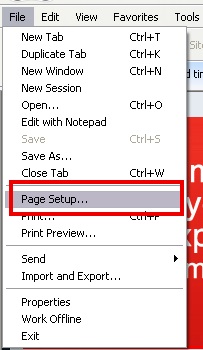
- Select Page Setup from the menu toolbar in your browser.
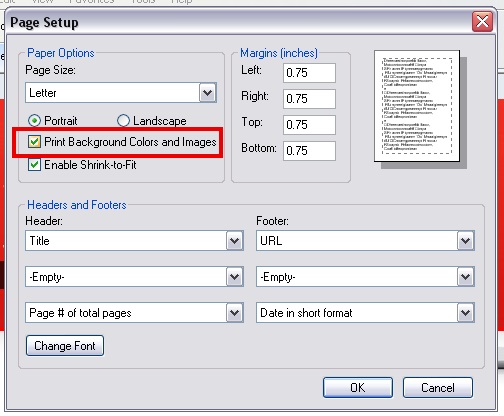
- Place a check beside the checkbox with the words “Print Background Colors and Images”
- Click the OK button
Mozilla Firefox
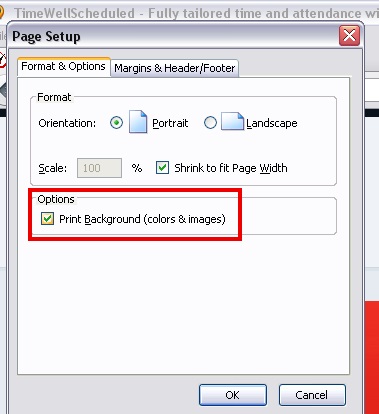
Mozilla should already have this enabled. The steps are similar Internet Explorer, if you are having issues:
- Select Page Setup from the File menu.
- Place a check beside the checkbox with the words “Print Background (colors & images)”.
- Click the OK button
Google Chrome
At the moment (version 7 of Chrome) there is no way to print background colors in Chrome. A lot of people have pointed this out to Google so I have to assume they’ll fix this in future releases.
Apple Safari
At the moment (version 5 of Safari) there is no way to print background colors in Safari for Windows. On a Mac, Safari prints background colors just fine.