
You can sync your TimeWellScheduled schedule with an external calendar software or tool that relies on iCal such as Outlook, Google or Apple Calendar
To import your calendar into a third-party app, first go to VIEW MY SCHEDULE and click the CALENDAR SYNC button to access your unique link.
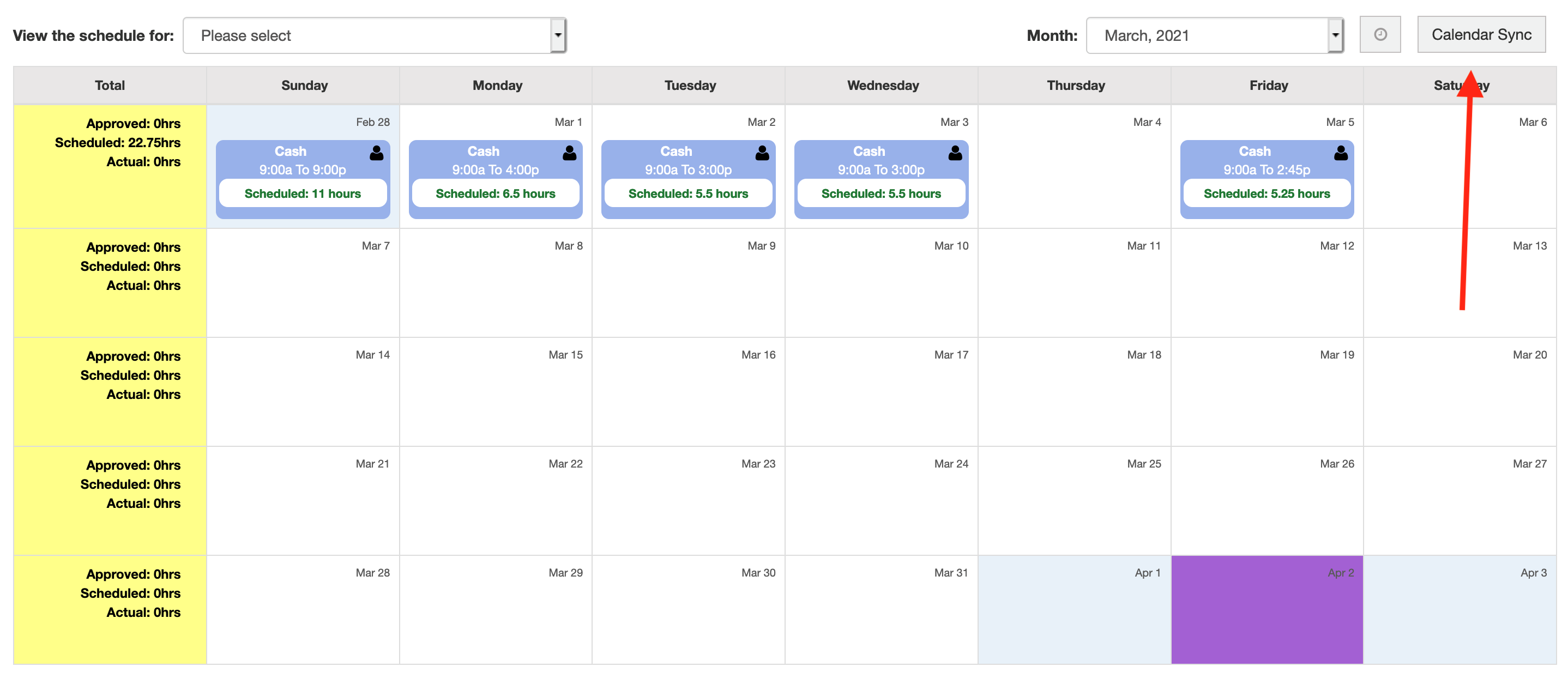
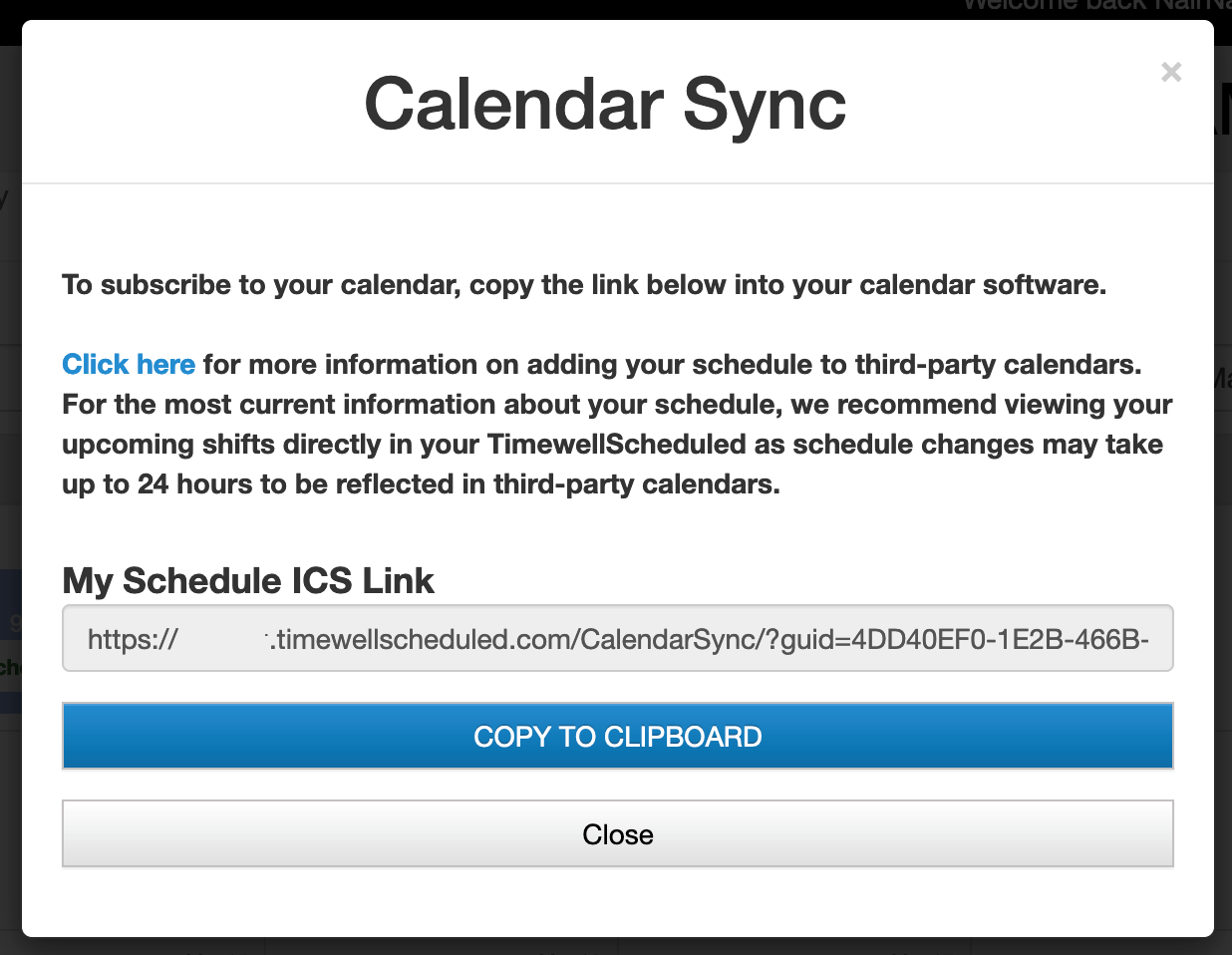
Click the COPY TO CLIPBOARD link to copy your unique link to your clipboard for pasting into a third-party calendar app. Note: This link is unique to you and you should not share it with anyone else!
PLEASE NOTE: For the most current information about your schedule, we recommend viewing your upcoming shifts directly in the TimeWellScheduled. Schedule changes may take up to 24 HOURS to be reflected in third-party calendars. This is completely out of our control and it is up to the third-party apps to determine what their own update frequency is.
Google Calendar
To import into Google Calendar, login to Google to access your Calendar, then near Add Calendars click the menu (Add other calendars), then click FROM URL.
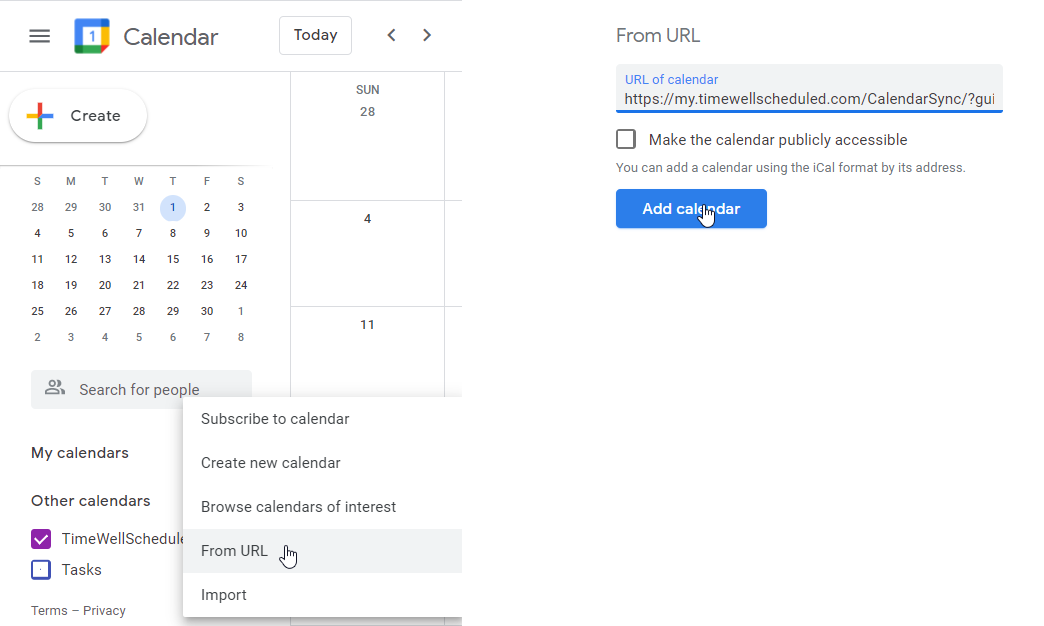
Paste your unique link into the From URL field, then click Add calendar!
You’re all set!
Apple Calendar (Mac OS X)
Please visit: https://support.apple.com/guide/calendar/subscribe-to-calendars-icl1022/mac
iPhone / iPad (iOS)
Please visit: https://www.imore.com/how-subscribe-calendars-your-iphone-or-ipad