
< All Topics
I get too many alerts – how can I manage them?
Updated
Views38
Table of Contents
There could be a few reasons why you are receiving alerts, to manage them check these reasons out:
- Disable global alerts, read this article.
- Roles – if employees report to you, you receive the alerts. If the alerts are meant for someone else, have the employees report to their role (ex. if you’re getting all the alerts for Chester but they should be going to Sophie, set Chester to report to Sophie instead of you).
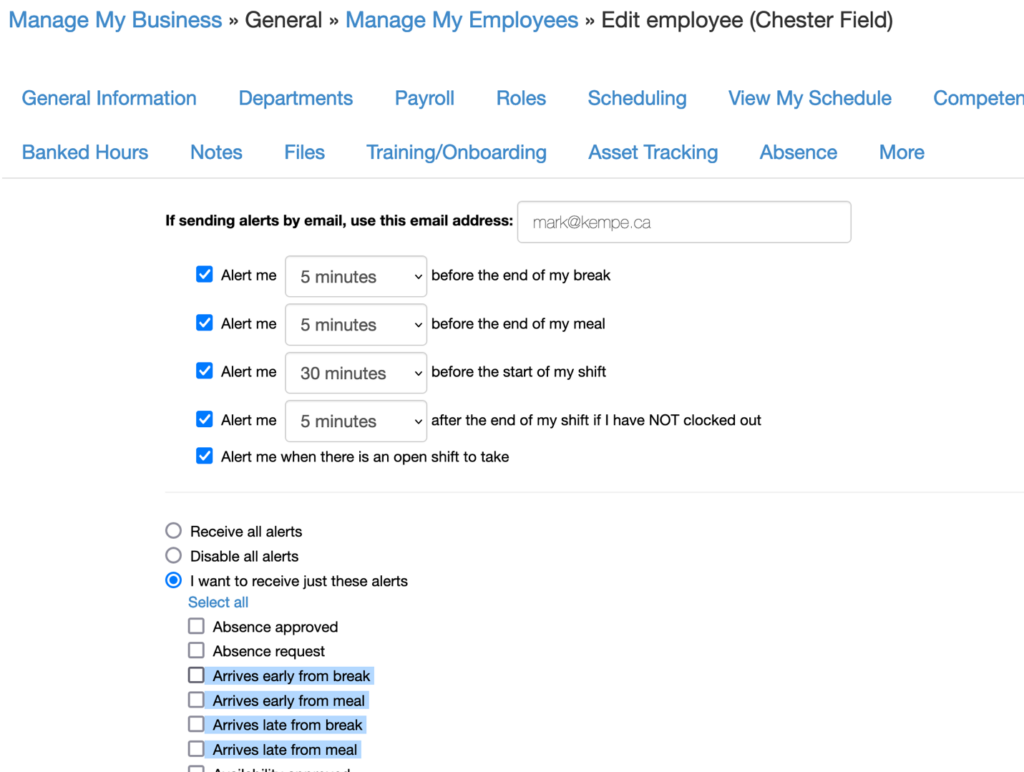
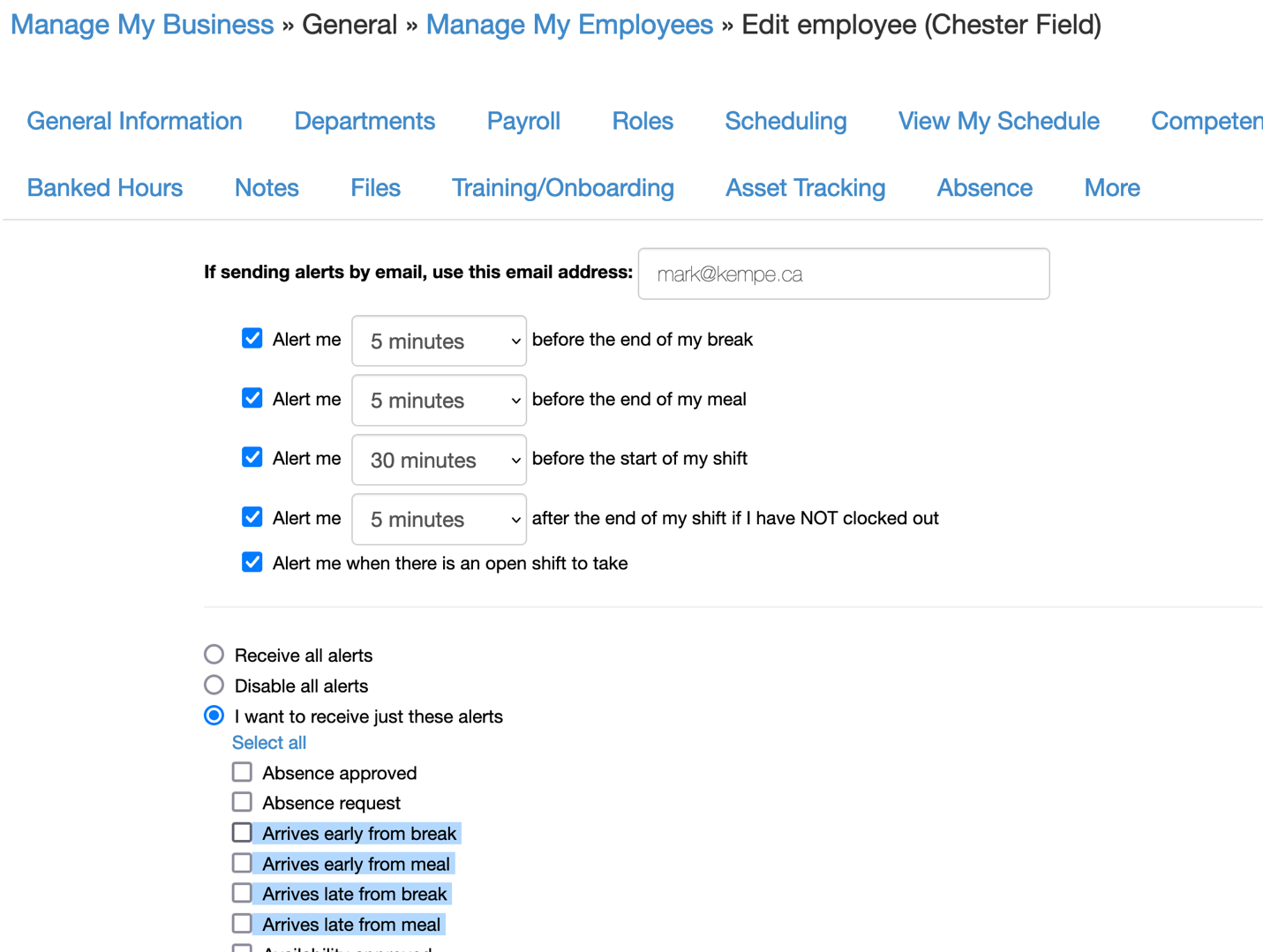
- Disable specific alerts in the employee profile
Search
Language switcher
Categories
-
Absence37
-
Access Restrictions9
-
Accounting5
-
Alerts30
-
App – Employees4
-
App – Punch Clock14
-
Availability13
-
Biometrics11
-
Chat6
-
Competency6
-
COVID7
-
Departments9
-
Did You Know5
-
Employee Management19
-
For Employees19
-
For Managers16
-
General29
-
Getting Started5
-
How-To17
-
HR Suite43
-
Messages21
-
Multiple Instances2
-
Offline Mode0
-
Payroll44
-
Printing3
-
Project Tracking5
-
Punch App2
-
Punch Clock2
-
Punching23
-
Reports21
-
Roles13
-
Scheduling78
-
Security23
-
Shifts9
-
Statutory Holidays12
-
Survey3
-
Time Cards60
-
Videos33
-
Vital Signs2
-
Walk Thru1
-
What's New57
-
Who's Working7