< All Topics

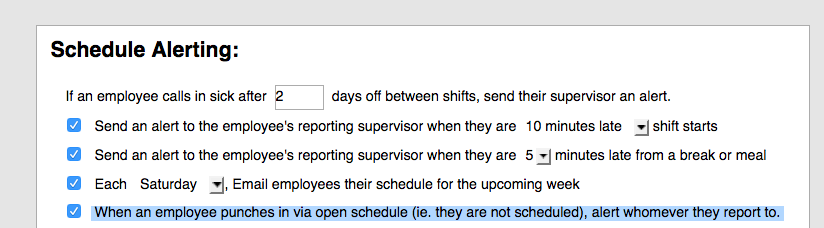
Alerting when an employee has an open schedule

Table of Contents

In busy workplaces, it’s easy to overlook a shift that hasn’t been filled – especially when managing multiple employees, locations, or departments. In TimeWellScheduled, open schedule gaps can lead to understaffing, payroll confusion, and unnecessary last-minute scrambling.

This alert is designed to proactively notify you when an employee has an open schedule, helping you identify coverage issues early and keep your operations running smoothly. By surfacing these gaps before they become problems, you can stay ahead of scheduling conflicts and ensure your team is fully supported.

To manage this

  1. Go to MANAGE MY BUSINESS
  2. Go to MANAGE ALERTS
  3. Go to the SCHEDULING tab
  4. Check off this alert

Search

Generic selectors
Exact matches only
Search in title
Search in content
Post Type Selectors

Language switcher

Categories