< All Topics
Scheduling sorting
Updated
Views14
Table of Contents
Schedule sorting allows you to control the order employees and shifts appear on the schedule. This helps you quickly find information, review coverage, and work with the schedule in a way that makes sense for you.
Sorting affects your view only – it does not change the schedule for other users.
What Is Schedule Sorting?
Schedule sorting lets you arrange the schedule by different criteria, such as:
-
- Employee name
- Department
- Role
- Shift start time
- Custom order you’ve set
Once applied, the system remembers your choice and uses it the next time you open the schedule.
How to Change the Sort Order
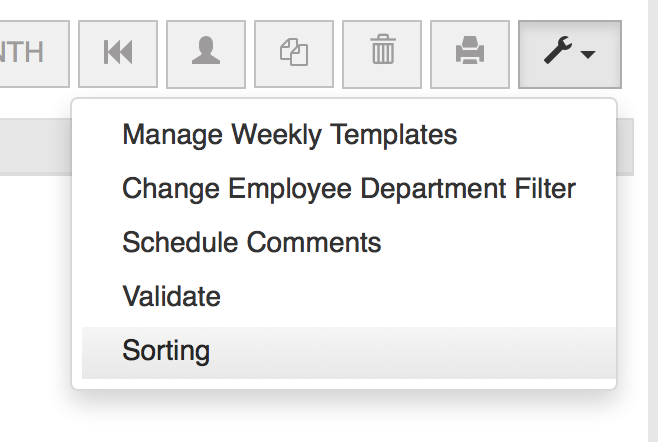
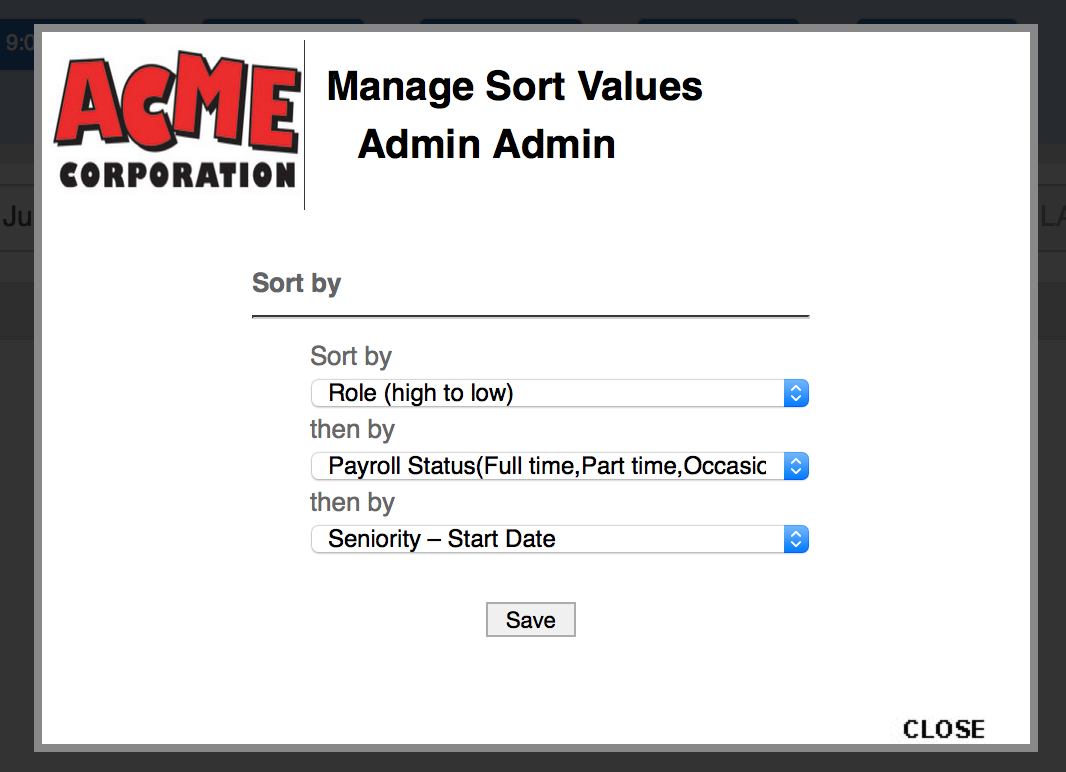
To change the sort order
Categories
-
Absence34
-
Access Restrictions9
-
Accounting5
-
Alerts29
-
App – Employees4
-
App – Punch Clock14
-
Availability13
-
Biometrics13
-
Chat6
-
Competency6
-
COVID7
-
Departments9
-
Did You Know5
-
Employee Management19
-
For Employees17
-
For Managers16
-
General28
-
Getting Started5
-
How-To20
-
HR Suite41
-
Messages21
-
Multiple Instances2
-
Offline Mode2
-
Payroll43
-
Printing4
-
Project Tracking5
-
Punch App1
-
Punch Clock2
-
Punching23
-
Reports21
-
Roles13
-
Scheduling75
-
Security23
-
Shifts9
-
Statutory Holidays7
-
Survey3
-
Time Cards59
-
Videos33
-
Vital Signs2
-
Walk Thru1
-
What's New52
-
Who's Working7